Smart Lighting
The Bedside Smart Button: One-Tap Scenes
If you buy through links on this page we may earn a commission at no extra cost to you.
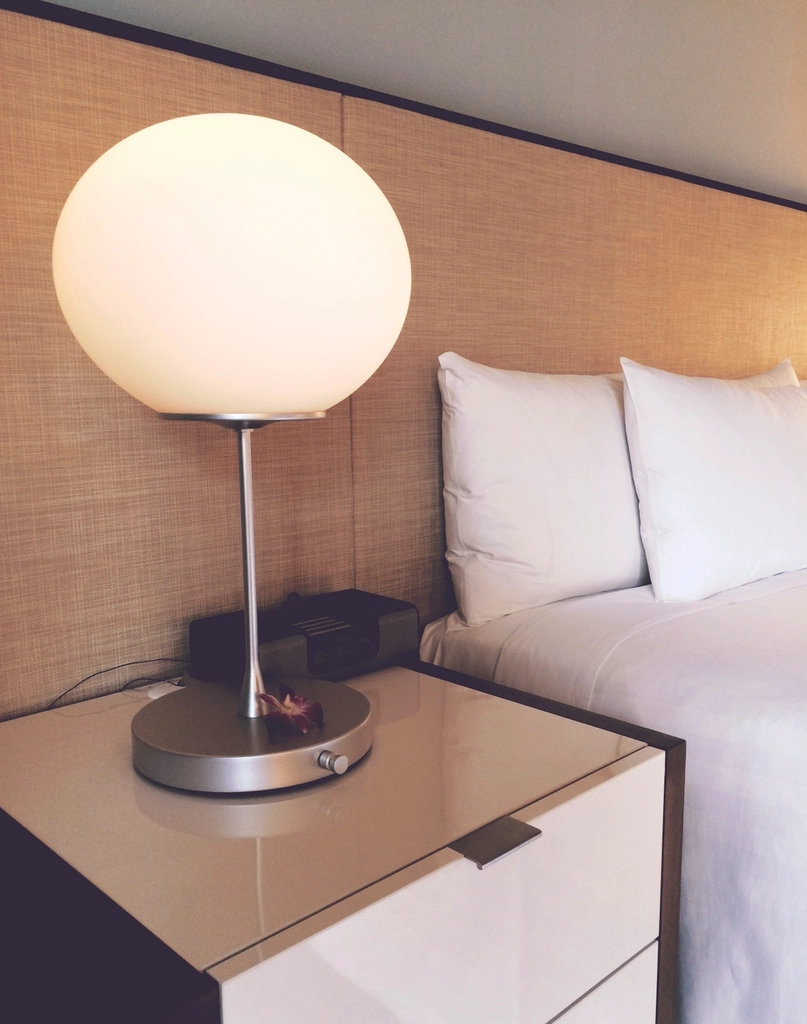
Reaching for your phone to turn off a lamp is the least restful habit in a smart bedroom — bright screen, notifications, one careless swipe away from a 2 a.m. feed. A $15-25 button stuck to the nightstand does the job with one tap in the dark, no screen involved, and your phone stays on the dresser where it belongs. Of every smart accessory in the bedroom, this is the one people stop noticing because it simply becomes how the room works.
The three scenes worth programming
All-off. One tap kills every light in the room at once, including the strip behind the headboard you always forget and the closet light left on since Tuesday. This is the scene that justifies the button by itself, and it belongs on the biggest, easiest press.
Night mode. One tap drops the room to a ten-percent amber glow — enough to find the water glass or the bathroom door without stubbing a toe or waking your partner. The best setups route this through a warm path light rather than the main lamp, which is why the scene, not the fixture, is what you are programming.
Reading preset. One tap sets the bedside lamp to about sixty percent, everything else off. Instead of fiddling through brightness levels with an app open on your lap, the light arrives at the level you settled on by trial and error months ago.
Hold-to-dim is the fourth pattern worth having if your button supports it: a long press ramps the current light down until you release, which covers every level in between the presets.
A note on what these scenes should share: consistency. The whole value of the button is that the room answers identically every night — same night-mode level, same reading brightness, same all-off sweep — so that using it stops being a decision at all. If the scenes wander because they were built from app experiments at different hours, re-record each one once, deliberately, at the brightness you actually settled on. A button running wrong scenes is worse than no button, because you will distrust the tap and go back to the phone.
What separates a good bedside button
A click you can feel. In the dark, the button is pure touch. A deep, distinct click tells you the command registered without lighting a screen or second-guessing; mushy capacitive surfaces leave you tapping twice and wondering.
A battery measured in years. The right design sleeps between presses and sips a coin cell for one to two years. A button that needs charging monthly ends up unplugged in a drawer by spring — the graveyard of good ideas.
Mounting that survives. The button lives where your hand lands: the nightstand edge, the headboard, the wall beside the bed. A magnetic backing on an adhesive plate beats sticky-only designs, because you can pull it off, hold it in bed, and snap it back.
Local execution. The press-to-light delay should be imperceptible, which means the scene fires on the local network without a round trip to some server across the country. This is the spec that separates a button that feels like magic from one that feels like lag.
Press patterns. Single, double and long press mapping to different scenes triples the button’s value without adding clutter. Three distinct actions on one small puck is the sweet spot for a bedside.
One reliability test to run in the first week, before you rely on it: put the router in airplane mode — or unplug it entirely — and tap the button. A good setup fires the scene exactly as before, because the hub and the button talk locally; a cloud-dependent one stares at you. Buttons also degrade in range near big metal objects and mirrors, so test from where you will actually press, not from the showroom corner of the room. Range failures show up as a once-a-week dead press, which is exactly the night you wanted all-off.
How the picks compare
Three shapes cover the market. The two-scene bedside button is the purist pick: two or three deeply tactile actions, a two-year coin cell, and nothing to learn. The rotary dimming dial trades a button for a twist, giving continuous dimming by wrist movement — the best match for lamps you adjust every night, and overkill if you never do. The four-button scene panel handles whole-room group control for bedrooms with four or more light zones, at the cost of needing a glance or a memory map at 3 a.m. The comparison table in the spec panel lines them up on feel, mounting and price.
One button, one job
The mistake to avoid is programming ten scenes onto every surface in reach. Three presets — all-off, night mode, reading — cover ninety percent of nights, and a button that does three things flawlessly beats a panel that does ten things slowly. Keep the actions physical and obvious: big press for all-off, the action you use most on the position your thumb finds first.
Honestly, the upgrade nobody regrets is a second button on the other side of the bed. The partner who did not set up the system should never need to open an app to turn off a light, and a $17 button on their nightstand is cheaper than every conversation about it. Buttons pair naturally with no-hub smart bulbs for the simplest possible setup, and the Matter guide explains why local control keeps getting easier. For the wider accessory picture, see the smart lighting category.
Where the button sits in the wider stack: it is the control layer, not the light layer. Bulbs and plugs do the actual lighting work, and the button merely conducts them — which is why it keeps working when you change bulbs. Retrofit the room in that order and you never have to reprogram the bedside: lights first, scenes second, button last.
The picks
Two-scene bedside button
Generic contemporary · $15-20 · Rated 4.4/5
The purist pick: two or three deeply tactile actions on a two-year coin cell, with nothing to learn and nothing to charge.
Best for: One-tap all-off and night-light scenes
- Deep tactile click, findable in the dark
- Coin cell lasts about two years
- Magnetic or adhesive mounting on any surface
- Only two or three actions per button
- Dimming needs a long-press routine
Rotary dimming dial remote
Generic contemporary · $20-30 · Rated 4.3/5
Turns dimming into a wrist movement: continuous control by twist, toggle by press. The best match for lamps you adjust every single night.
Best for: Bedside lamps dimmed nightly by feel
- Continuous dimming by twist
- Press the dial to toggle on and off
- Clamps or mounts to the nightstand edge
- Costs more than a plain button
- Overkill if you never dim
Four-button scene panel
Generic contemporary · $25-35 · Rated 4/5
More scenes at the cost of needing eyes — or a memorized map — in the dark. The right tool when the whole room runs as four light zones.
Best for: Rooms with four or more light zones
- Four independent scene buttons
- Covers whole-room group control
- Some builds add a subtle backlight
- Needs a glance or memory at night
- Largest footprint of the three
| Model | Actions | Tactile feel | Mount | Works offline | Price |
|---|---|---|---|---|---|
| Two-scene bedside button | 2-3 | Deep click | Magnet or adhesive | Yes, with local scenes | $15-20 |
| Rotary dial remote | Continuous dim plus toggle | Twist plus click | Nightstand edge mount | Yes, with a local hub | $20-30 |
| Four-button scene panel | 4 scenes | Flat presses | Adhesive or stand | Partly | $25-35 |
Frequently asked
- Do smart buttons need a hub?
- Usually yes, but not always the cloud. Most buttons are tiny radios with no Wi-Fi of their own, so they pair with a hub that translates their presses into commands. The important distinction is whether the hub runs scenes locally — a local hub keeps the button working through internet outages, while a cloud-dependent setup stalls.
- Can one button control multiple lights at once?
- Yes, and that is the entire point. A single press can trigger a scene that switches the lamp to ten percent, turns the ceiling fixture off and dims the strip behind the headboard together. Grouping lights into scenes is what turns a button from a remote control into a one-tap routine.
- How long do the batteries last?
- A typical coin cell runs one to two years with normal use, since the button sleeps between presses. Expect to swap it about as often as a smoke detector battery, and pick a button whose battery door opens without unscrewing the mount.